
Welcome to the secure payment page of Milestone Andaman.
You can complete your booking safely using our official bank account or by directly scanning the QR code provided below.
Please make payments only to the company accounts listed here.
Payments made to any other account or individual are not considered valid.
📌 1. Pay Using QR Code
For quick and hassle-free payments, simply scan the QR code below using any UPI app:
After completing the payment, please share the screenshot or UTR number with your booking manager for confirmation.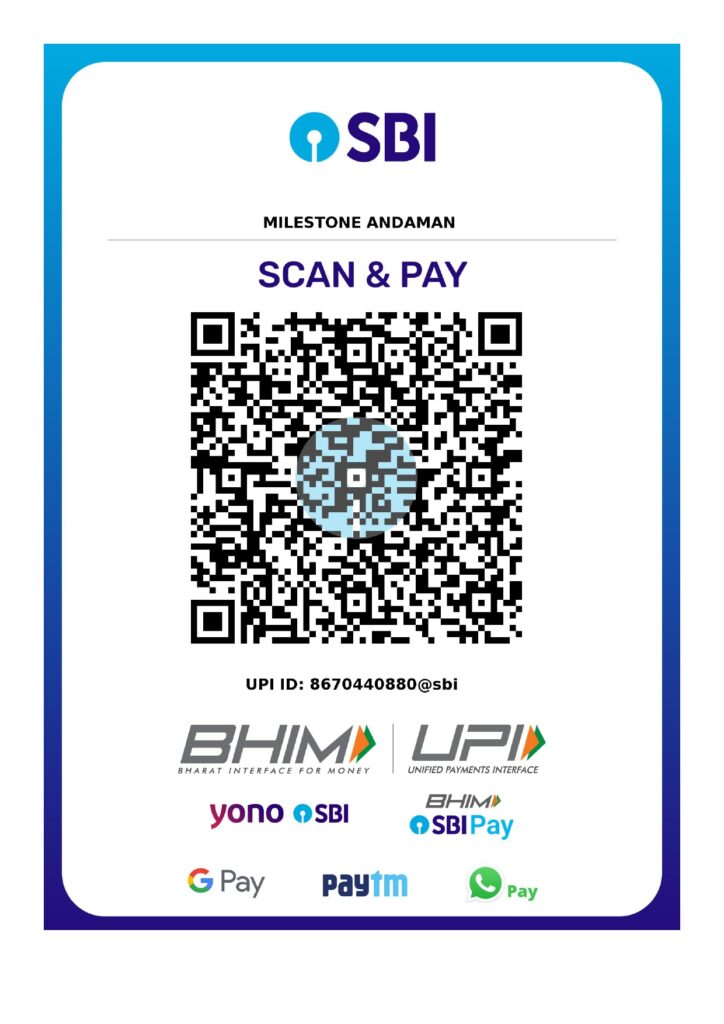
📌 2. Pay via Bank Transfer
You may also pay through NEFT / RTGS / IMPS / UPI using the official company bank details.
Milestone Andaman – Official Bank Account
Bank Name: State Bank of India
Account Name: Milestone Andaman
Account Type: Current Account
Account Number: 44656342850
Branch: Dollygunj, Sri Vijaya Puram (Port Blair)
IFSC Code: SBIN0017178
📌 3. Important Payment Instructions
Double-check the account details before transferring funds.
After payment, share the UTR number / transaction ID / screenshot for verification.
Bookings are confirmed only after payment is successfully received in our account.
Do not make payments to any personal account or unknown number.
Milestone Andaman will never ask you for OTP, PIN, or passwords.
📌 4. Payment Confirmation
Once your payment is verified, you will receive:
Official confirmation message
Booking invoice
Final itinerary (if applicable)
If you have any issues during payment, feel free to contact your booking coordinator.
📌 5. Need Help?
Our team is available to assist you with any payment-related queries.
Milestone Andaman – Customer Support
📞 +91 8670440880
📧 milestoneandaman@gmail.com
📍 Opp. Shiv Temple, 2nd Floor, Ram Nagar, Attam Pahad, Sri Vijaya Puram, 744103